

How to Cancel Planet Fitness Membership Fast and Easy
Getting out of a gym contract can feel like running on a treadmill. You put in a lot of effort, but you do not seem to get anywhere. If you are wondering how to cancel Planet Fitness membership without pulling your hair out, you are in the right place. The process is not as hard as rumors suggest. You just need to follow a few specific rules. This guide breaks down the exact steps to end your billing cycle for good.
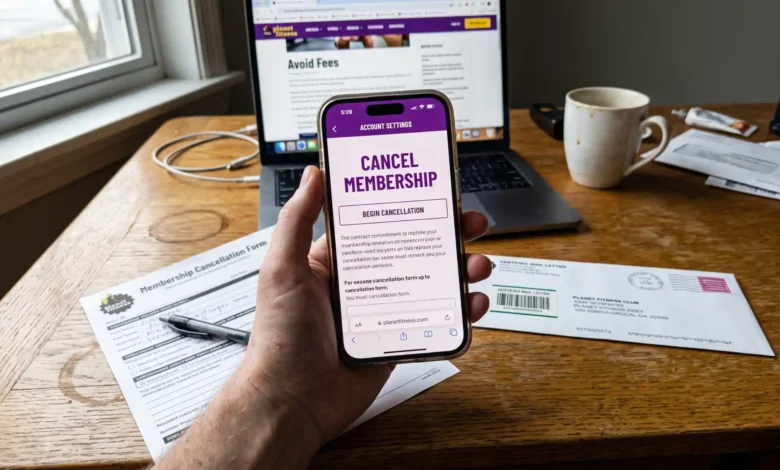
To cancel a Planet Fitness membership, you must visit your home club in person and fill out a cancellation form. Alternatively, you can send a written cancellation request to your home club via certified mail. Most locations require a 7-day notice before your next billing date.
Key Takeaways
- In-person cancellation is the fastest and most reliable method.
- Certified mail creates a paper trail if you cannot visit your home club.
- Online cancellation is currently only available for members in specific states like California due to local laws.
- A 7-day notice is required to avoid being charged for the next monthly billing cycle.
- Early termination fees apply if you break a 12-month commitment contract early.
Understanding the Planet Fitness Cancellation Policy
Before taking action, you need to know how the gym handles its billing. Planet Fitness memberships are managed at the local franchise level. This means you must deal directly with your “home club.” Your home club is the specific location where you originally signed up for the service.
The 7-Day Billing Rule
Timing is everything when you want to stop gym payments. Planet Fitness requires a 7-day notice before your next billing date. If your billing date is the 17th of the month, you must cancel by the 10th. Missing this window means you will pay for one more full month. Always check your bank statements to confirm your exact billing cycle.
Commitment vs. Month-to-Month Contracts
Your cancellation costs depend on the type of contract you signed. Month-to-month members can leave at any time without a penalty. They only need to provide the standard 7-day notice to stop the next charge.
However, members on a 12-month commitment plan face a different situation. Leaving a 12-month contract early usually triggers a buyout fee. This fee is often around $58, depending on your local club’s franchise rules.
3 Proven Ways on How to Cancel Planet Fitness Membership
You have a few options to officially end your agreement. The gym restricts phone and email cancellations for security reasons. Here are the approved methods to close your account successfully.
Method 1: Canceling In-Person at Your Home Club
Walking into your home club is the most straightforward route. It allows you to handle the paperwork immediately and get physical proof of your request.
- Gather your information: Bring your government-issued photo ID and your gym key tag.
- Visit during normal hours: Go to the front desk and ask a staff member for a cancellation form.
- Fill out the form: Provide your name, account number, and physical signature.
- Request a receipt: Always ask the staff to print a confirmation receipt or email you proof of the cancellation.
Method 2: Canceling by Certified Mail
If you moved away or travel constantly, mailing your request is a great option. Do not use regular mail for this important task. You must use certified mail through the post office. Certified mail gives you a tracking number and undisputed proof of delivery.
Follow these steps for a perfect cancellation letter:
- Write your full name, phone number, and email address at the top.
- Include your Planet Fitness key tag number or account ID.
- Clearly state your intent to cancel the membership immediately.
- Sign and date the bottom of the letter.
- Mail it directly to your home club’s physical address.
Method 3: Can You Cancel Online? (The California Loophole)
Most members cannot click a simple button on the app to quit. However, some states legally force gyms to offer online cancellations. If you live in a state like California, you can log into your account on a web browser. Under the membership settings, you will find a cancellation button.
Some users report changing their home address to a California zip code within the online portal. Once the system registers the new state, the online cancellation button magically appears. While this internet workaround works for some, contacting your home club remains the safest path. You can also use third-party financial apps like Rocket Money if your home club supports online integration.
Common Reasons People Cancel Their Memberships
People decide to part ways with their gym for many different reasons. Sometimes, a change in lifestyle makes going to the gym impossible. Other times, financial shifts force people to cut back on monthly bills.
Moving to a New Area
Relocation is a massive reason for cancellation. If you move somewhere without a nearby Planet Fitness, keeping the membership makes no sense. In these specific cases, using certified mail is your best tool.
Lack of Use
Many people sign up as a New Year’s resolution but stop going by March. If you only visit the gym once a month, you are losing hard-earned money. Canceling stops the financial bleed instantly. You can always sign up again later if your motivation returns.
Switching to Home Workouts
Home fitness has exploded in popularity over the last few years. Many former gym-goers now prefer running outdoors or doing bodyweight exercises in their living rooms. If you built a home gym, you no longer need the black card perks.
Alternatives to Canceling
Before you pull the plug entirely, consider a few simple alternatives. You might not need to cancel if you just need a temporary break.
Downgrading Your Membership
If you have a Black Card membership, you are paying over $24 a month. You can downgrade to the Classic membership to save money instantly. The Classic plan usually costs around $10 to $15 a month. You lose the massage chairs and guest passes, but you keep access to the weights. Go to the front desk and ask for a simple downgrade.
Transferring Your Home Club
If you moved, you do not have to cancel your plan. You can easily transfer your home club online in just a few minutes. Log into your account, update your address, and select a new local gym. You must have an active account with no past-due balances to do this. Your membership must also be older than 90 days.
Planet Fitness Cancellation Costs and Fees
Are you worried about hidden fees? Let’s break down exactly what you might owe when walking away. Reviewing your original agreement is the best way to prevent surprises. You can ask the front desk to print a copy of your contract if you lost it.
| Membership Type | Notice Required | Early Termination Fee | Annual Fee Risk |
| Month-to-Month (Classic) | 7 Days | $0 | Yes, if canceled after the 25th of the prior month. |
| 12-Month Commitment (Black Card) | 7 Days | Typically $58 Buyout | Yes, if canceled after the 25th of the prior month. |
| Pre-Paid / Paid in Full | None | No Refunds | N/A |
Note: Always settle any outstanding balance on your account. The gym will not process your cancellation if you owe past-due monthly fees.
How to Handle Unfair Charges After Canceling
Sometimes, the computer system fails and you see a charge after you quit. Do not panic. This is exactly why you kept your paper trail and tracking numbers.
First, call your home club and speak to a manager directly. Let them know you have a signed receipt or a certified mail tracking number. Most managers will refund the error immediately.
If the club refuses to help, contact your bank or credit card company. File a chargeback dispute and provide your cancellation receipt as evidence. The bank will block future charges from the merchant. You can also read up on consumer rights via the Federal Trade Commission if you feel a business is using unfair billing practices.
FAQs
Can I cancel my Planet Fitness membership over the phone?
No. Planet Fitness does not allow members to cancel over the phone. You must complete the process in person or via certified mail to prevent unauthorized account changes.
Why is it so hard to cancel a gym membership?
Gyms use franchise models and require physical signatures to prevent consumer fraud. They also design the process to give staff a chance to offer you a better deal to stay.
Can I freeze my account instead of canceling?
Yes. If you have a medical injury or are traveling, most clubs allow you to pause your account for up to three months. A small monthly freeze fee might apply depending on the location.
What happens to my annual fee if I cancel?
Annual fees are non-refundable. To avoid paying the next annual fee, you must cancel your membership by the 25th of the month before the fee is due.
Do I have to go to my original home club to cancel?
Yes. Your membership contract is owned by the specific franchise location where you signed up. If you moved, you must transfer your home club online first, or use certified mail.
The Final Verdict: Protecting Your Wallet
Figuring out how to cancel Planet Fitness membership is simply a matter of following exact instructions. Do not let the required steps intimidate you or delay your decision. Go in person for the fastest results, or use certified mail if you live too far away. Always keep a copy of your receipt or tracking number for your personal records. Once you have that proof, you are completely free from the contract.
Next Steps
Now that you know the exact steps, it is time to take action. Check your bank statement today to find your exact billing date. Draft your cancellation letter or plan a quick trip to your local gym this week. If you found this guide helpful, bookmark our site for more straightforward financial and lifestyle advice.